
A companion for the next step

Meet DogPath. Make practice a habit.

The free guides get you started. DogPath offers an optional mobile place for guided daily practice, focused programs and everyday training tools.

DogPath in everyday life

A clearer place to begin the next session.

A useful app gives a small exercise a place in your day. It can help you find a lesson, review the setup and decide what to try next. The learning still happens between you and your dog: in the room you choose, in the timing of a reward and in your willingness to make the picture easier when it needs to change.

DogPath brings a training path, focused programs, an AI coach and everyday tools into a mobile experience. Use those parts according to the job in front of you. A lesson can introduce an exercise; a note about the actual setting can help explain why it went differently on another day. Neither needs to become a test of how much your dog can tolerate.

DogPath app iconDogPath

One useful session.
Then the next.

Choose a training goal, work through a manageable lesson and bring what you learn into everyday life.

Example practice noteNot an app screen

Today’s goal: an easier exit.

✓Start at an interior doorway
✓Reward one easy check-in
3Note what helped

A simple example of turning an everyday goal into something you can practice.

Where the app can help.

01

A guided training path

Work through short reward-based lessons with a clearer setup and next step. Choose an easy version and adapt the session to your dog’s comfort.

02

Focused problem programs

DogPath includes focused programs for common everyday challenges. A program’s structure organizes practice; it does not guarantee a result within its named timeframe.

03

Questions with context

The AI coach can help organize everyday training questions. AI can be mistaken and cannot assess the full situation, diagnose a condition or replace qualified professional help.

04

Everyday training tools

Features include tools such as a clicker, whistle, walk tracking and potty logging. Use a tool to support a clear exercise, not as a substitute for safe handling or an appropriate plan.

From a guide to a real session

Read the relevant guide and choose one observable goal. Prepare suitable rewards and an easy setting, then select a lesson or program that fits. Practice while your dog is comfortable and stop before the session becomes frustrating.

Notice what happened rather than simply marking a task complete. The room, time, distance from a distraction and your dog’s starting state can all change the result. Bring that context to your next session or to a professional supporting you.

When an app is not the right answer

Pain, sudden behavior change, panic, aggression, guarding and bite risk need appropriate veterinary or qualified behavior support. An app cannot examine your dog, evaluate every hazard in the environment or provide an individualized emergency response.

Basic care also comes first. A dog who needs a toilet opportunity, sleep, water or relief from an overwhelming situation does not need another lesson before that need is met.

Choose the format that fits the moment

Use a detailed guide when you need to understand the full setup. Open a practice plan when you want a sequence to return to. Choose DogPath when a guided mobile lesson is a useful reference. You can combine those formats without making the phone the center of the exercise.

Bring one useful detail back

After the session, describe where you practiced and what made participation easier. The next lesson can wait while you repeat a comfortable version. If the setting changes, review the preparation again rather than assuming that finishing an exercise once makes it ready for every situation.
Do I need DogPath to use this website?

No. All Dogday Lab guides, practice plans and browser tools are available without an app account or download. The app is optional.

Can DogPath replace a trainer or veterinarian?

No. It is a practice aid for everyday learning. Medical questions, serious distress and safety concerns require appropriate professional support.

Should I hold my phone during the exercise?

Review the lesson and prepare before beginning. Put the phone aside when your attention is needed for your dog, rewards or secure handling. Return to the screen after the exercise if you want to review the next step.

Are my website notes synchronized with the app?

No. The website’s training log and cue card are stored locally in your browser. They are separate from DogPath. You can export or print them for your own reference.

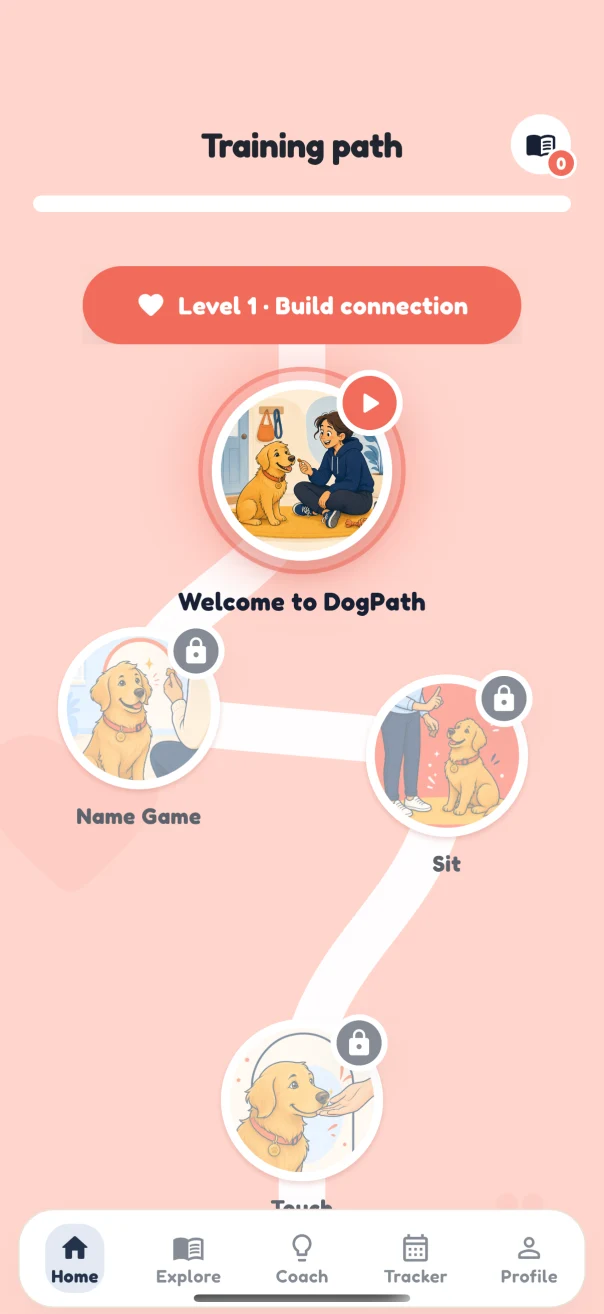
DogPath training path showing connection lessons including Name Game, Sit and Touch
DogPath app screen · appearance and features may change.

The training path

Find a lesson without planning the whole course.

A sequence is helpful when you are unsure what to practice next. The training path provides a visible place to begin and return to. Before following the next lesson, consider whether its setup fits your dog today. The right starting point is the part you can arrange comfortably, even when that means repeating an earlier foundation.

For example, you might use a connection exercise indoors before trying a more demanding household transition. Keep the place quiet enough to notice the behavior you want. Have suitable rewards ready and make the movement clear. If a new room makes the exercise difficult, the answer may be to reduce distraction and return to the familiar version rather than moving faster through the sequence.

The path organizes material; it does not set a deadline for a dog’s learning. A completed screen is different from a skill that is comfortable in several settings. Bring an honest description of the environment to your next choice and leave enough time between sessions for ordinary care, rest and an easier opportunity to practice.

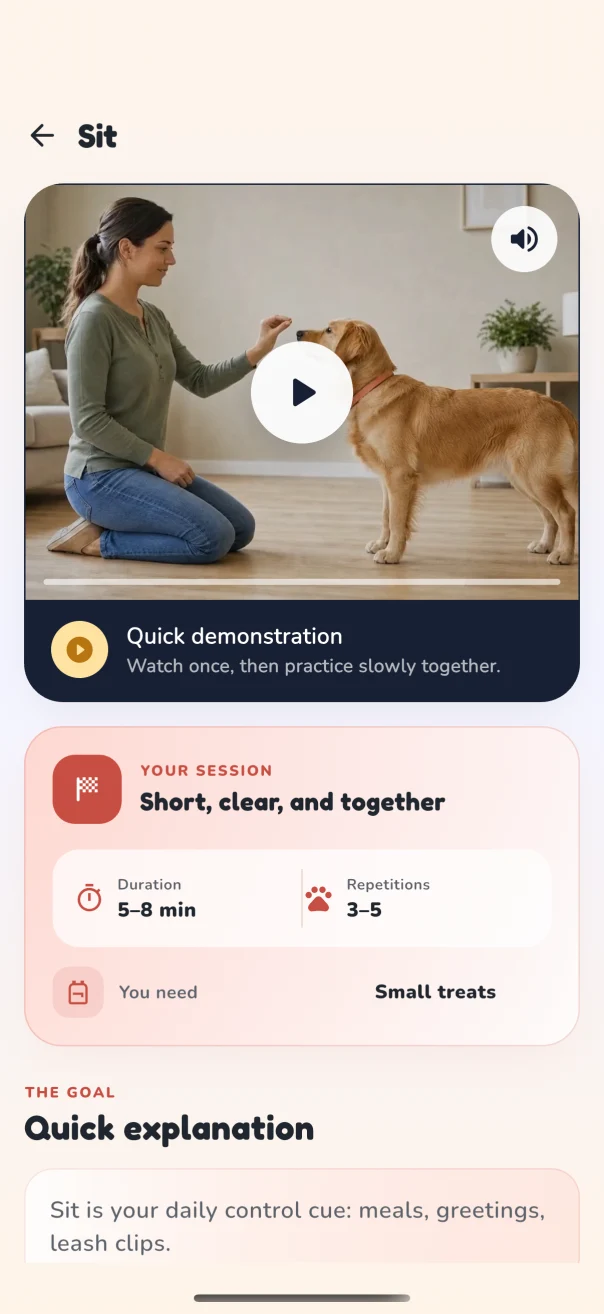
DogPath Sit lesson view with demonstration area and a short-session preparation panel
DogPath app screen · appearance and features may change.

Inside a lesson

See the exercise, then prepare your own setting.

A demonstration can make an exercise easier to picture. Review the lesson before you bring your dog into the setup, so the session is not spent dividing attention between a screen and the dog. Gather the suggested equipment, check the surface and choose a place where you can finish or simplify without difficulty.

Treat suggested durations and repetition counts as planning information. You can stop after one comfortable attempt. Look at the whole dog rather than continuing solely because a panel has another repetition left. A dog who turns away, becomes tense or struggles to take part is giving you information about the setup; making it easier can be the useful next action.

After practice, describe what actually happened. “Turned toward me beside the kitchen door when the room was quiet” tells you more than “finished attention training.” A particular posture in one room does not establish reliability beside traffic, around unfamiliar dogs or during a busy delivery. Build those changes gradually and keep necessary safety measures in place.

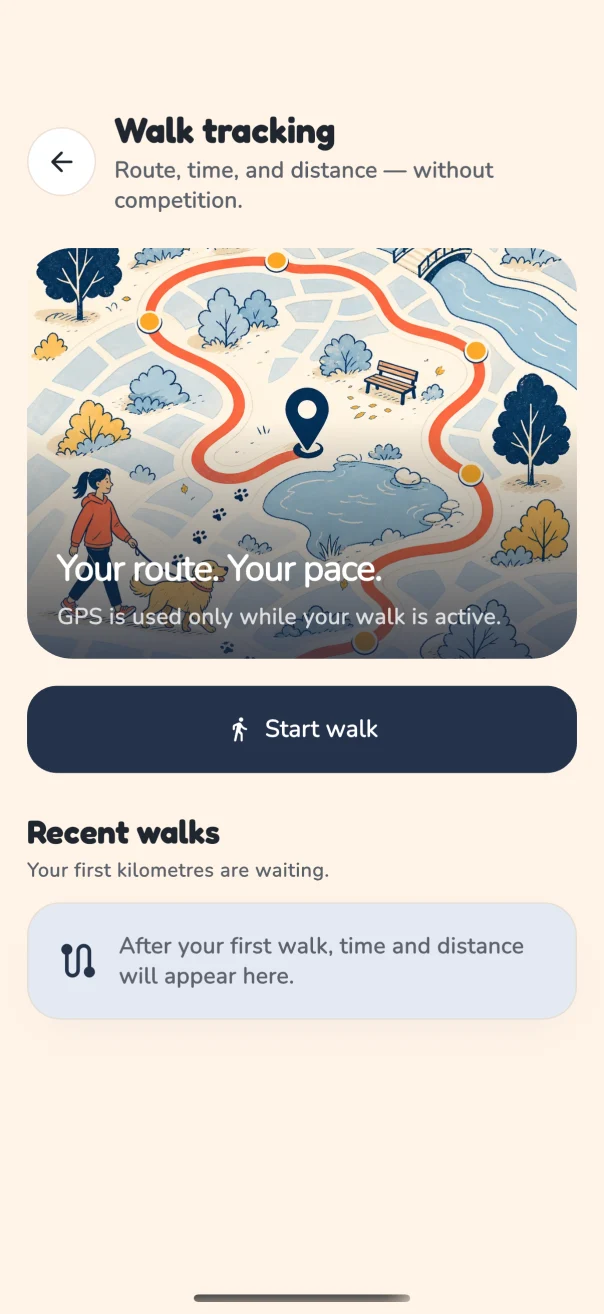
DogPath walk-tracking screen showing a start-walk control and recent-walk area
DogPath app screen · appearance and features may change.

Walk tracking

Remember the outing without making distance the goal.

Walk tracking can help you keep a record of an outing. The record is most useful when it supports a question about daily life: which route leaves room to step aside, when the surroundings are quieter or how the dog feels after returning home. Time and distance are context, rather than a competition to make tomorrow’s walk longer.

A short route with comfortable sniffing and a clear way back may be more workable than a long loop through crowds. Make decisions with the dog and the actual conditions in mind. Keep the phone away when you need both attention and secure handling, especially at crossings, narrow passages or unexpected encounters. A tracking feature cannot assess the safety of a route for you.

The website’s outing checklist can help you prepare the same outing, but it remains separate from the app. Checked items and browser notes are not synchronized into DogPath. Use the website for the planning task that fits, the app for the mobile feature you want and your own observations to decide what should change next time.

From an ordinary day

An illustrative first session: the inside doorway.

Consider a person whose dog becomes excited while the household gets ready to leave. The immediate care task is still to get outside safely and in time. For optional practice, the person chooses a different moment, attaches normal walking equipment securely indoors and works beside an interior doorway where there is no escape risk.

They review a suitable foundation lesson, put the phone aside and wait for one voluntary look toward them. A small appropriate reward follows, then a couple of easy steps together. If the dog is comfortable, that may be enough for the first attempt. The real exit later stays simple; it does not become a long examination before the toilet trip.

The useful next step is to repeat the easy setting and note what helped. When that is comfortable, one detail can change. An app can supply a structure and a reminder, while the handler supplies the setting, observation and safety decisions. This example illustrates a decision process and is not a customer result or a promised timetable.

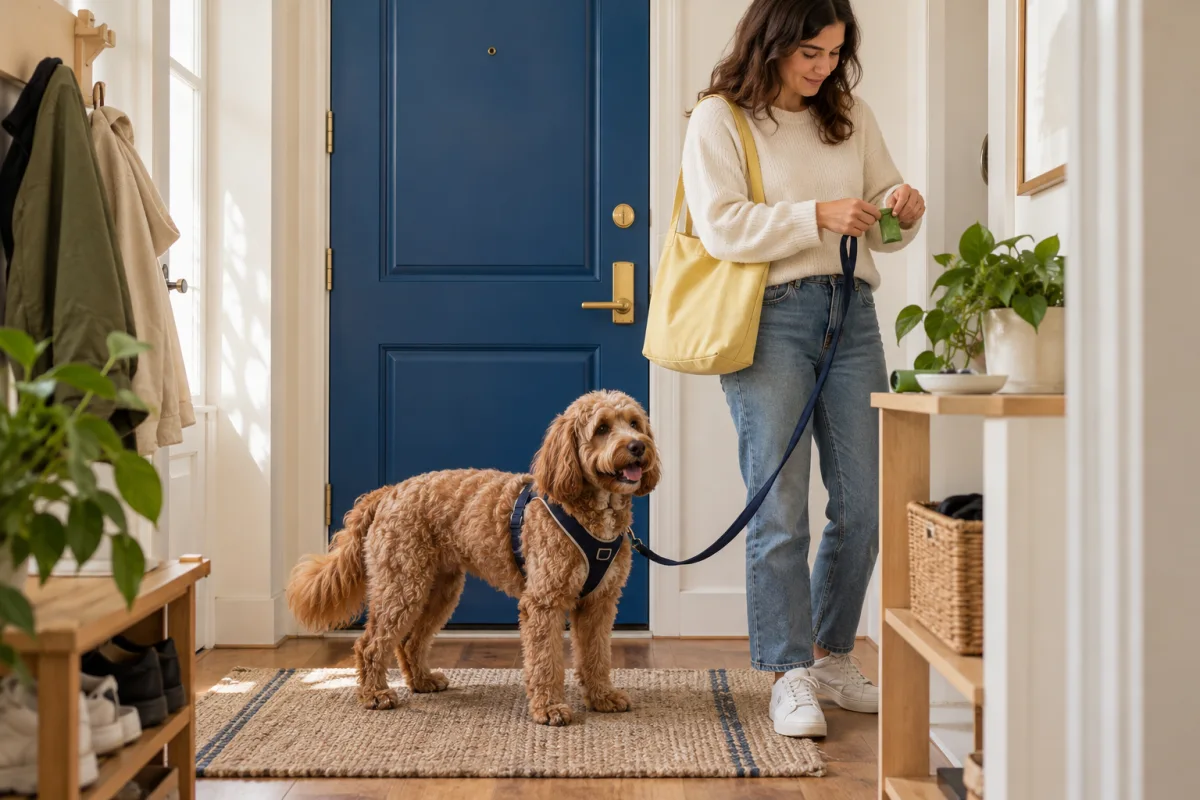
A woman preparing supplies beside a harnessed dog at a closed apartment door
Prepare the people and equipment before the doorway becomes busy.

From one session to the next

Return to the lesson with a clearer question.

Before reopening a lesson, recall the last setting you used. Was the room quiet, was another person moving nearby and could your dog take a break? Choose whether you need a reminder of the exercise itself or a simpler environment. Those are different questions, and replaying a demonstration will not by itself remove a busy doorway or a noisy interruption.

Prepare one easy attempt from that decision. For example, return to a familiar connection exercise in the same quiet room before adding another household movement. Have the reward ready, put the phone aside and notice the response. Finish with the part that stayed clear instead of trying to complete several unrelated lessons in one sitting.

Afterward, keep a sentence that you could use to arrange the next attempt: quiet kitchen, one adult, voluntary look, easy finish. If another room or person changed the experience, write that change down too. A useful learning record makes the next setup easier to picture; it does not need to become a rating of the dog.

You can keep that note with the website’s training log and export it for your own reference. Browser notes and mobile app features remain separate. Whichever format you return to, let the next choice follow the dog’s comfort, the care already provided and the opportunity you can actually prepare today.

The AI coach

Ask a more specific question.

Context makes an everyday training question clearer. Describe the place, the event, what your dog did and what you tried before asking about the next exercise. “My dog moved away when I lifted the towel after a rainy walk” gives more useful information than a label such as stubborn or dramatic. It also helps identify when an environmental change or a professional conversation is more appropriate than another cue.

DogPath’s AI coach can help organize everyday questions, but AI can make mistakes and cannot examine your dog or see every relevant detail. Do not rely on it for diagnosis, medication decisions, emergency care or a safety assessment involving aggression or bite risk. Take those concerns to an appropriate qualified professional. Keep sensitive personal information out of a general training question.

Meet DogPath

Your next small step.
Right in your pocket.

Take a guided lesson, keep a daily practice rhythm and work on the moments that matter to you.

See how the app fits